Internet in China: VPN, eSIM and Staying Connected (2026 Guide)
Your phone will work in China, but many familiar apps will not unless you prepare. For most visitors, the safest setup is a China travel eSIM or roaming plan that keeps global apps working, with a compliant VPN backup if needed.

Your phone will work in China, but whether your usual apps work depends on the data route you set up before arrival.
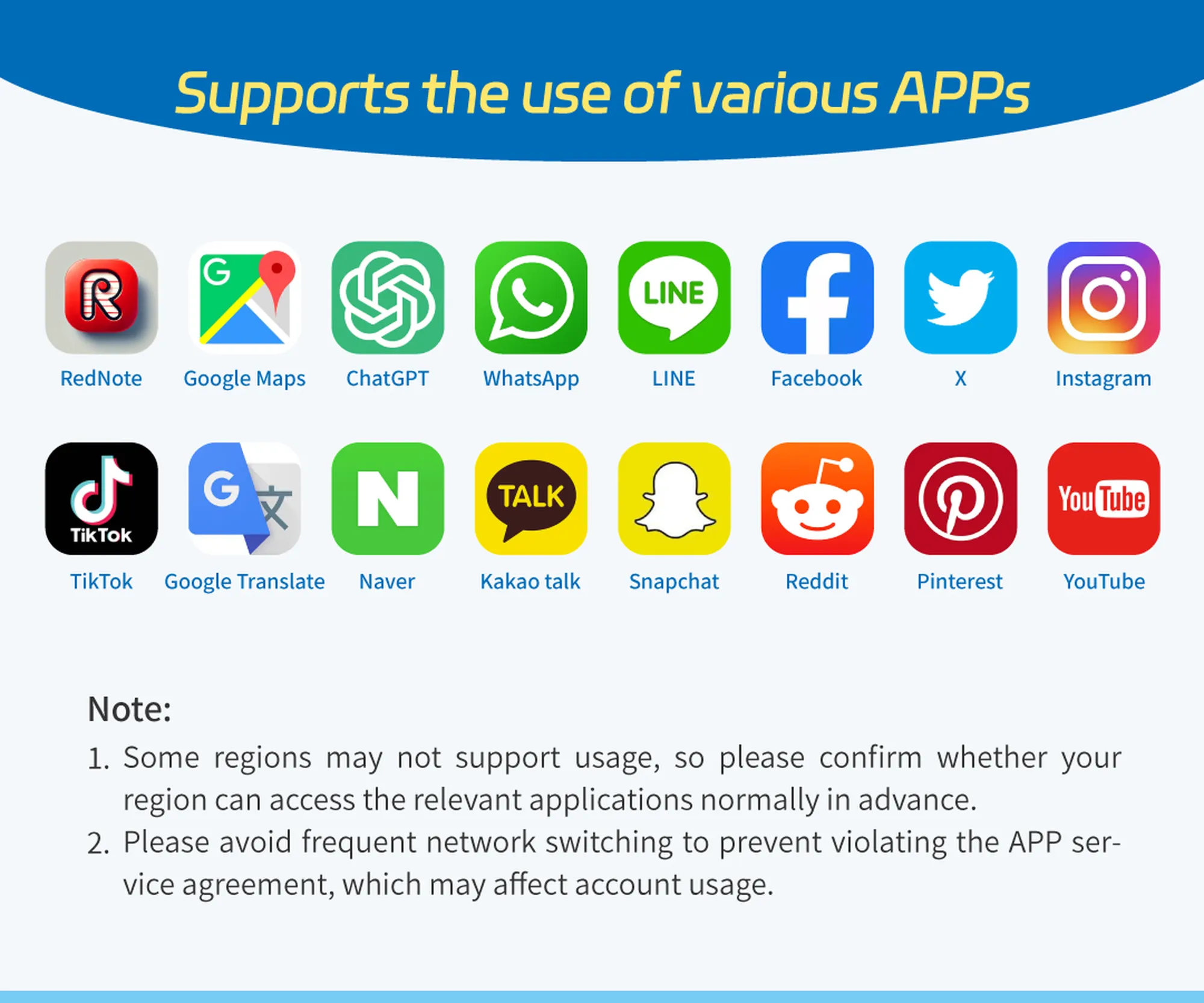
Some China travel eSIMs are designed to keep global apps reachable, but always check the provider notes before buying.
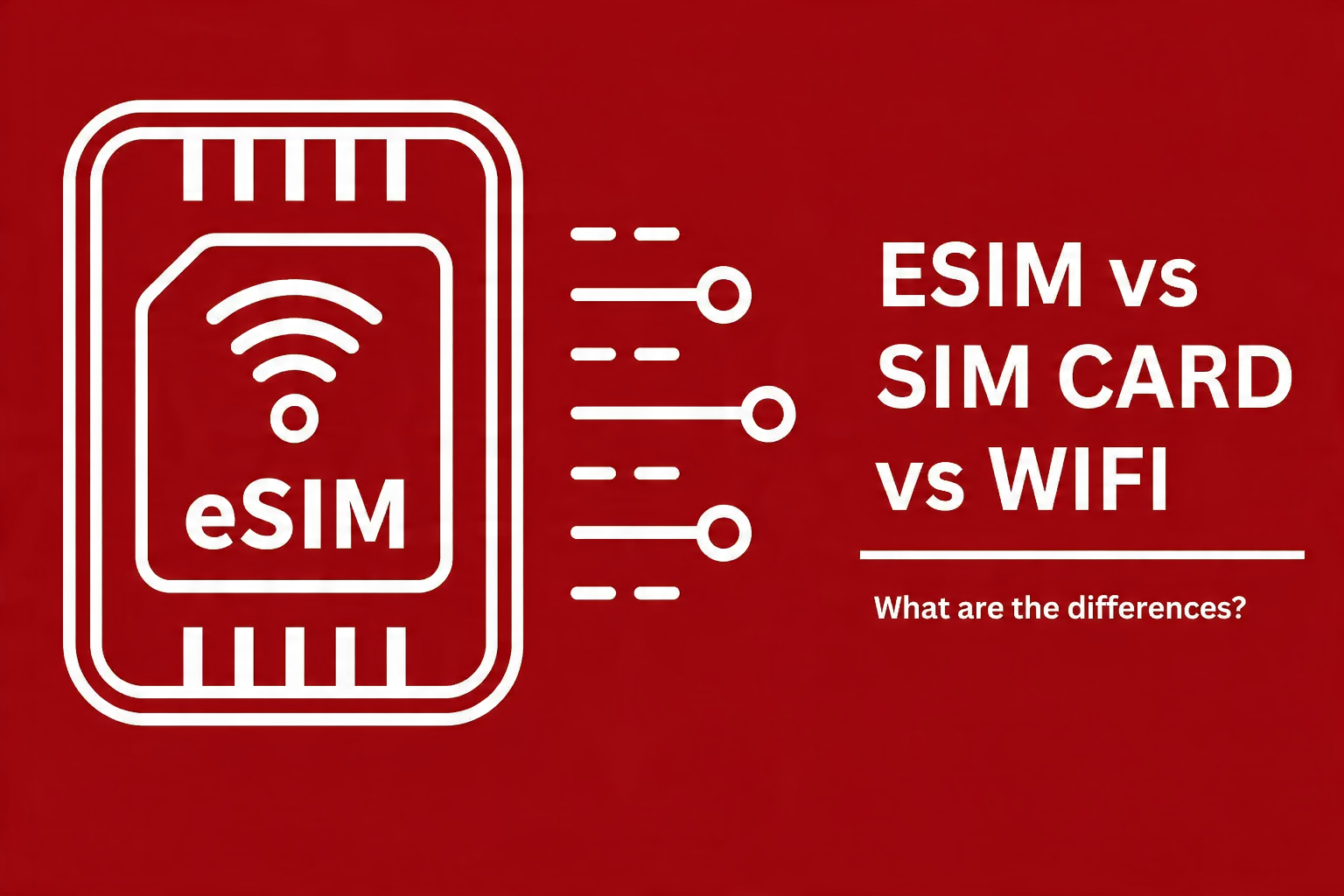
For short trips, a travel eSIM is usually the cleanest starting point; local SIMs and Wi-Fi backups still have specific use cases.
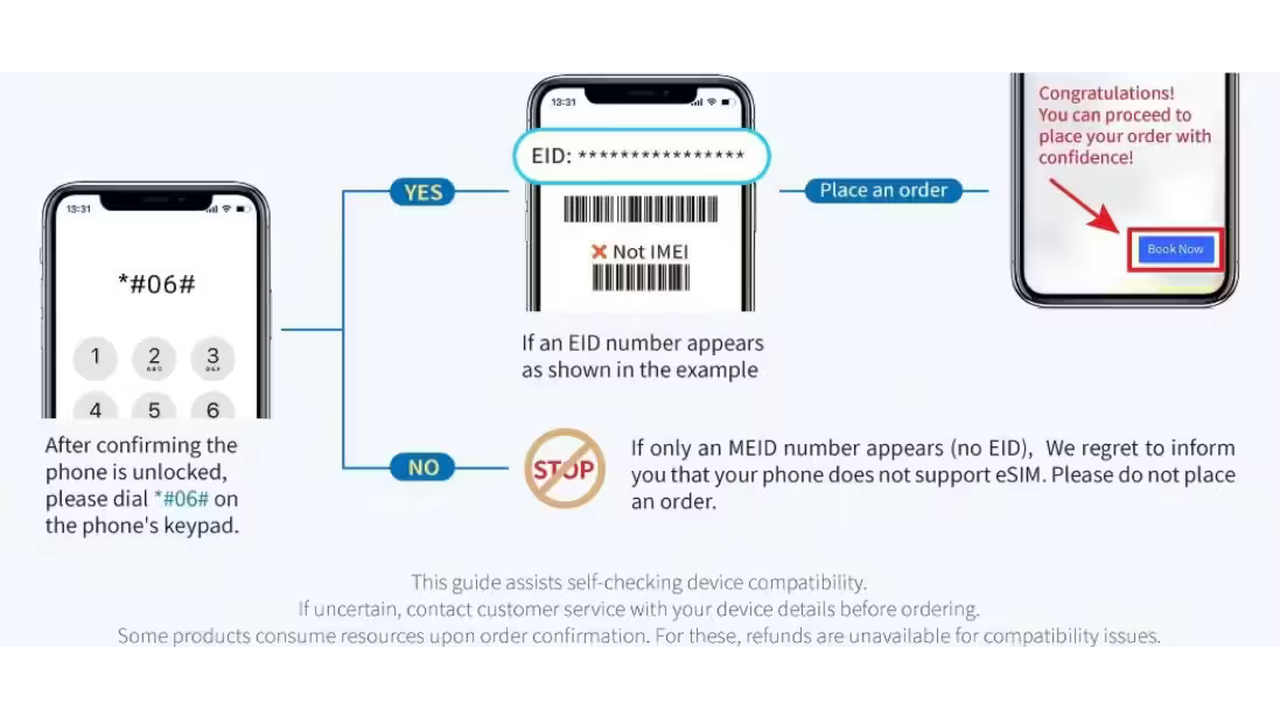
Dial *#06# before buying an eSIM. An EID number usually means your phone supports eSIM activation.
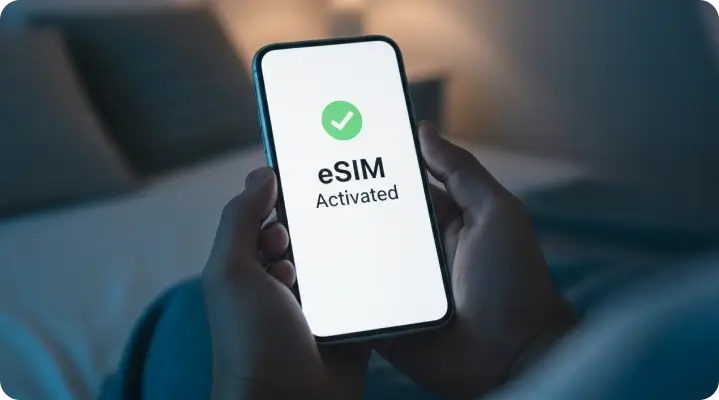
Activate and test your eSIM before the trip where possible, then keep the QR code or activation details accessible.
Your phone will work in China, but whether your usual apps work depends on the data route you set up before arrival.
Some China travel eSIMs are designed to keep global apps reachable, but always check the provider notes before buying.
For short trips, a travel eSIM is usually the cleanest starting point; local SIMs and Wi-Fi backups still have specific use cases.
Dial *#06# before buying an eSIM. An EID number usually means your phone supports eSIM activation.
Activate and test your eSIM before the trip where possible, then keep the QR code or activation details accessible.
Your phone will work in China, but whether your usual apps work depends on the data route you set up before arrival.
Some China travel eSIMs are designed to keep global apps reachable, but always check the provider notes before buying.
For short trips, a travel eSIM is usually the cleanest starting point; local SIMs and Wi-Fi backups still have specific use cases.
Dial *#06# before buying an eSIM. An EID number usually means your phone supports eSIM activation.
Activate and test your eSIM before the trip where possible, then keep the QR code or activation details accessible.
Your phone will work in China, but whether your usual apps work depends on the data route you set up before arrival.
Some China travel eSIMs are designed to keep global apps reachable, but always check the provider notes before buying.
For short trips, a travel eSIM is usually the cleanest starting point; local SIMs and Wi-Fi backups still have specific use cases.
Dial *#06# before buying an eSIM. An EID number usually means your phone supports eSIM activation.
Activate and test your eSIM before the trip where possible, then keep the QR code or activation details accessible.
Your phone will work in China, but whether your usual apps work depends on the data route you set up before arrival.
Some China travel eSIMs are designed to keep global apps reachable, but always check the provider notes before buying.
For short trips, a travel eSIM is usually the cleanest starting point; local SIMs and Wi-Fi backups still have specific use cases.
Dial *#06# before buying an eSIM. An EID number usually means your phone supports eSIM activation.
Activate and test your eSIM before the trip where possible, then keep the QR code or activation details accessible.
Your phone will work in China, but whether your usual apps work depends on the data route you set up before arrival.
Some China travel eSIMs are designed to keep global apps reachable, but always check the provider notes before buying.
For short trips, a travel eSIM is usually the cleanest starting point; local SIMs and Wi-Fi backups still have specific use cases.
Dial *#06# before buying an eSIM. An EID number usually means your phone supports eSIM activation.
Activate and test your eSIM before the trip where possible, then keep the QR code or activation details accessible.
Your phone will work in China, but whether your usual apps work depends on the data route you set up before arrival.
Some China travel eSIMs are designed to keep global apps reachable, but always check the provider notes before buying.
For short trips, a travel eSIM is usually the cleanest starting point; local SIMs and Wi-Fi backups still have specific use cases.
Dial *#06# before buying an eSIM. An EID number usually means your phone supports eSIM activation.
Activate and test your eSIM before the trip where possible, then keep the QR code or activation details accessible.
Your phone will work in China, but whether your usual apps work depends on the data route you set up before arrival.
Some China travel eSIMs are designed to keep global apps reachable, but always check the provider notes before buying.
For short trips, a travel eSIM is usually the cleanest starting point; local SIMs and Wi-Fi backups still have specific use cases.
Dial *#06# before buying an eSIM. An EID number usually means your phone supports eSIM activation.
Activate and test your eSIM before the trip where possible, then keep the QR code or activation details accessible.
Article
Yes, your phone works in China, but your usual apps will not work on a normal mainland connection unless you prepare. Google, WhatsApp, Instagram, Gmail and many Western platforms are blocked behind what is known as the Great Firewall. The most traveller-friendly fix in 2026 is not simply “download a VPN”; it is to sort your data route before you fly, usually with a China travel eSIM or roaming plan that keeps international apps reachable.
This guide walks through exactly how: what is blocked, when an eSIM is enough, when a VPN is still useful, what to check before buying a plan, and the simple steps that save first-time visitors from landing cut off from everyone back home.
Does Wi-Fi Work in China? What's Actually Blocked
Wi-Fi and mobile data work normally in China. The internet itself is fast, widespread, and easy to access in hotels, stations, airports, cafes, and on mobile networks. What is restricted is which sites and apps you can reach on a standard mainland connection.
Blocked or unreliable on a normal mainland connection:
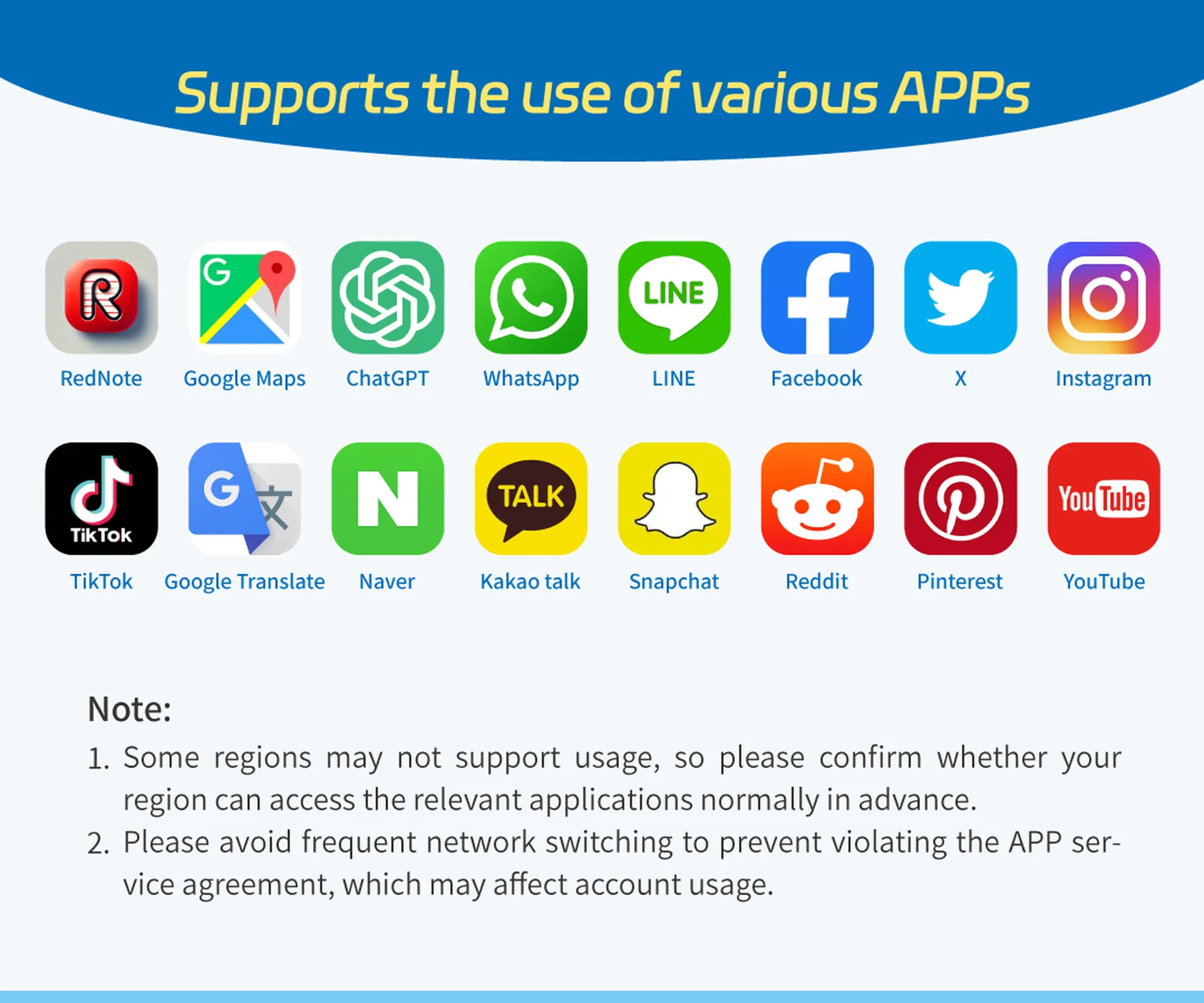
Google: Search, Maps, Gmail, Drive and Translate
WhatsApp, Facebook, Instagram and Messenger
YouTube, X (Twitter), Reddit and Snapchat
Some Western news sites and many VPN provider websites
Works without a VPN:
WeChat for messaging and payments
Alipay for payments
DiDi for ride-hailing
Baidu Maps and Amap for navigation
Apple services, including iMessage, FaceTime and the App Store in most cases
Most hotel booking sites and Trip.com
The takeaway: you can function in China on local apps alone, but to stay in touch with home the way you normally would — WhatsApp family groups, Google Maps, your email — you need an overseas-routed eSIM, international roaming, or a compliant VPN backup.
eSIM vs SIM Card vs Roaming: Which Is Best?
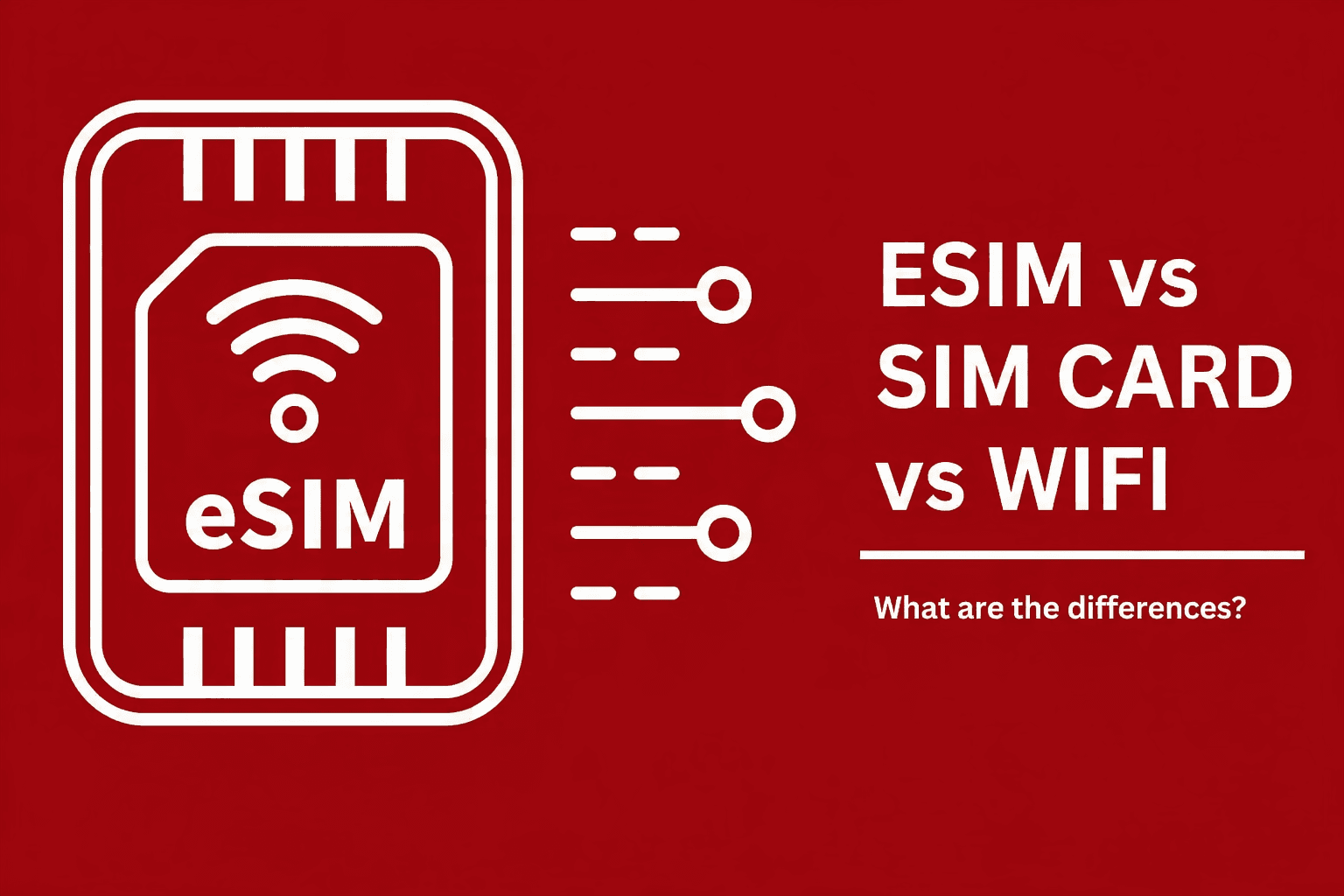
You have three main ways to get mobile data in China. Based on the 2026 Trip.com guidance, a China travel eSIM is the most useful default for short visits because it can be bought before departure, activates digitally, and many plans are designed to keep global apps reachable without a separate VPN app.
| Option | Best for | Pros | Cons |
|---|---|---|---|
| Travel eSIM with overseas routing or built-in VPN | Most tourists and short trips | Buy before travel, activate by QR code or app, often supports Google and WhatsApp | Phone must support eSIM and be unlocked; check plan wording |
| Local physical SIM | Longer stays, heavy local data | Cheap, lots of data, strong local coverage | Requires passport registration; blocked apps need a compliant VPN or other authorised route |
| International roaming | Short trips and maximum simplicity | May route data through your home country and bypass blocks automatically | Can be expensive; check daily caps and fair-use limits |
Option 1: Travel eSIM (easiest for most visitors)
An eSIM is a digital SIM you install by scanning a QR code or activating through an app. There is no physical card, so you can buy it before departure and avoid the local SIM-card queue after landing.
Providers such as Trip.com, Airalo, Holafly and Nomad sell China travel eSIMs. The crucial detail is routing: many China eSIMs use international carrier partnerships, overseas routing or built-in VPN access so apps like Google, WhatsApp, Instagram and ChatGPT can work without a separate VPN app. Always check the provider's coverage and app-access notes before buying.
Before purchasing, dial *#06# on your phone. If you see an EID number, your device supports eSIM. If you do not see an EID, use roaming, a physical SIM, or pocket Wi-Fi instead. Also confirm your phone is not carrier-locked, because locked devices may not accept an international eSIM.
Option 2: Local Chinese SIM card
A physical SIM from China Mobile, China Unicom or China Telecom gives you plenty of local data, which can be useful for longer stays. The trade-offs are practical rather than technical:
You must register it with your passport, which is a legal requirement.
A local SIM connects you to the mainland Chinese internet, so blocked apps stay blocked unless you use a compliant VPN or authorised cross-border network service.
Setup usually happens at the airport or a carrier shop, which can mean a queue and a language barrier.
Option 3: International roaming
Roaming with your home network is the most hassle-free option, and it has a hidden advantage: your data may route back through your home country, which can let Google and WhatsApp work without a VPN.
The downside is cost. Check your provider's China roaming rates before relying on this. Some UK and EU plans include reasonable daily roaming caps, while others are expensive enough to make an eSIM the safer choice.
When a VPN Still Helps, and How to Treat It Carefully
A VPN can still be useful in China, especially if you are using hotel Wi-Fi, a local physical SIM, or a travel eSIM that does not include overseas routing. But the old advice — “just install any VPN” — is too casual for 2026. VPN services are regulated in mainland China, and travellers should avoid unapproved, free or privacy-risky tools.
Set up any backup before arrival
If you plan to use a VPN, install and activate it before you arrive in China. Once you are inside the country, many VPN websites and downloads are blocked, so trying to fix it after landing is stressful.
Which VPNs look more realistic in 2026
Trip.com’s May 2026 comparison is more cautious than older travel blogs. It presents Astrill as the strongest premium option, LetsVPN as a useful short-trip option, and treats free VPNs as emergency-only because of privacy and stability risks. It also flags ExpressVPN and Surfshark as inconsistent in mainland China, so this guide no longer recommends ExpressVPN as the simple default.
Astrill: strongest premium reliability signal in the Trip.com comparison, often used by expats and longer-stay travellers.
LetsVPN: a practical short-trip option if you want a paid backup and do not need advanced settings.
Mullvad or another privacy-first provider: worth considering for longer stays if you know how to configure it before arrival.
Free VPNs: avoid for sensitive tasks; treat them only as emergency text-message backup because of low data caps, instability and privacy risk.
Use it only for ordinary travel needs
Keep any VPN or overseas network access to ordinary personal travel use: messaging family, checking bookings, navigation, work email, and travel logistics. Do not use it to view, download or transmit politically sensitive or legally restricted material. This is not legal advice; it is the practical compliance posture a traveller should take.
How to Install and Troubleshoot a China eSIM
Most eSIM problems are preventable if you do the setup before departure and keep the activation details somewhere you can reach offline.
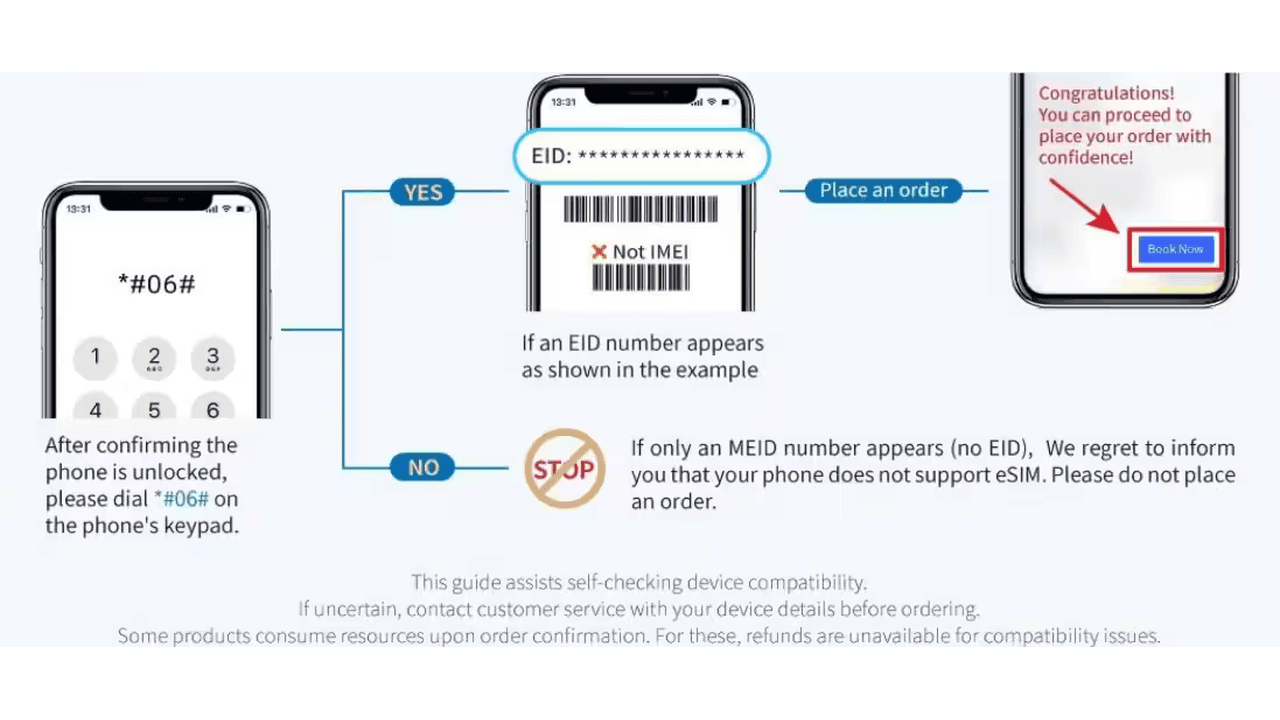
Before buying: dial *#06# and check for an EID number; no EID usually means no eSIM support.
Before installing: connect to stable Wi-Fi and make sure you are using the phone you will take to China; many QR codes work on one device only.
Save the QR code: keep it on another device or print it, so you can scan it during setup.
Turn on data roaming for the eSIM: many travel eSIMs need roaming enabled even though they are prepaid.
If there is no internet: restart your phone, check that the eSIM is selected for mobile data, and, if your provider instructs it, set the APN manually. Trip.com’s guide mentions “cmhk” as a common troubleshooting APN for some plans.
Useful Offline Backups to Save Before You Go
Even with an eSIM, roaming or VPN sorted, offline backups remove a lot of stress. Before you travel, save or install:
Offline maps: save your destination cities in Google Maps while you still have reliable access, and install Baidu Maps or Amap as a local backup.
Google Translate offline pack: download the Chinese language pack so it works without a live connection.
Pleco: install an offline Chinese dictionary with camera translation for menus and signs.
Accommodation addresses in Chinese characters: save them as screenshots to show drivers or station staff.
A Simple Pre-Departure Connectivity Checklist
Do all of this before you fly:
[ ] Choose your main data route: China travel eSIM, international roaming, local SIM, or pocket Wi-Fi.
[ ] If buying an eSIM, dial *#06# and confirm your phone shows an EID number.
[ ] Confirm your phone is unlocked and save the eSIM QR code on another device or as a printout.
[ ] Install the eSIM before travel if your provider allows it, then enable data roaming for that eSIM.
[ ] If you want a VPN backup, install, activate and test it before arrival; avoid free VPNs for anything sensitive.
[ ] Download WeChat, Alipay, DiDi, Baidu Maps or Amap, and Trip.com.
[ ] Save offline maps, the Google Translate Chinese pack, Pleco, and key addresses in Chinese characters.
Twenty minutes of setup at home is the difference between landing connected and landing locked out.
Frequently Asked Questions
Does WhatsApp work in China?
Not on a normal local mainland connection. WhatsApp is blocked by the Great Firewall. It can work if you use a compliant VPN, an international roaming plan that routes through your home country, or a China travel eSIM that connects through an overseas or built-in-VPN route. Set this up before you arrive.
Can I download a VPN once I'm already in China?
It is difficult. Many VPN provider websites and app downloads are blocked inside China. If you plan to use a VPN as backup, install and activate it before you travel. If you forget, an international roaming plan or travel eSIM that supports global apps is usually the best fallback.
Is it legal to use a VPN in China as a tourist?
VPN use in mainland China is regulated, and Trip.com’s 2026 guidance warns that unauthorised tools can carry legal responsibility for the user. For tourists, the clearer route is an international roaming plan or China travel eSIM through formal carrier partnerships. If you use a VPN, keep it to ordinary personal travel communication, avoid restricted activity, and treat this as practical travel guidance rather than legal advice.
Do I need a VPN if I have an eSIM?
It depends on the eSIM. Many China travel eSIMs advertise overseas routing or built-in VPN access, which can make Google, WhatsApp, Instagram and similar apps work without a separate VPN app. If the eSIM connects only through the local mainland network, blocked apps will still need a compliant backup tool.
Will my phone work in China at all?
Yes. Modern unlocked phones work on Chinese networks if your device supports the data product you buy. For eSIM, dial *#06# before purchase and look for an EID number. If there is no EID, your phone probably does not support eSIM and you should use roaming, a physical SIM, or a pocket Wi-Fi option instead.
What's the easiest setup for a first-time visitor?
For most first-timers: buy a China travel eSIM that supports global apps, install it before you fly, save the QR code on another device, enable data roaming for the eSIM, and keep one reputable VPN installed as backup. This gives you data on arrival while avoiding the airport SIM-card queue.
The Bottom Line
Staying connected in China is entirely manageable, but it is not automatic. The internet is fast, coverage is excellent, and your phone will work. The real task is choosing the right data route before you fly, because fixing access after landing is much harder.
For most short trips, start with a China travel eSIM that clearly supports international apps, or use home-network roaming if the cost is reasonable. Keep a reputable VPN installed as backup rather than making it your only plan. Download your local apps, save your offline maps, and keep your eSIM QR code somewhere accessible.
If you'd rather not piece it together yourself, connectivity is one of the first things we handle in our China Companion service. Our China Life Onboarding sets up your eSIM, VPN backup, payments, and essential apps before you fly, then keeps you in a WhatsApp or WeChat group with a bilingual member of our team for the rest of the trip, from $150 for up to 10 days. Get in touch with our London-based team and we'll make sure you land connected.

First Time in China: Everything You Need to Know Before You Go (2026)
Everything a first-time visitor to China needs to sort before departure: visas, mobile payments, essential apps, high-speed trains, which cities to start with, and how to get support on the ground.

Alipay WeChat Pay China Guide for Foreign Visitors (2026)
Foreign visitors can pay smoothly in China by setting up Alipay, adding WeChat Pay as a backup, and carrying a small amount of RMB cash for emergencies.

China High-Speed Trains: How to Use Them Without Losing Half the Day (2026)
A practical guide to booking, boarding, seat choices, luggage, station flow, and common mistakes when using China high-speed trains as a foreign visitor.